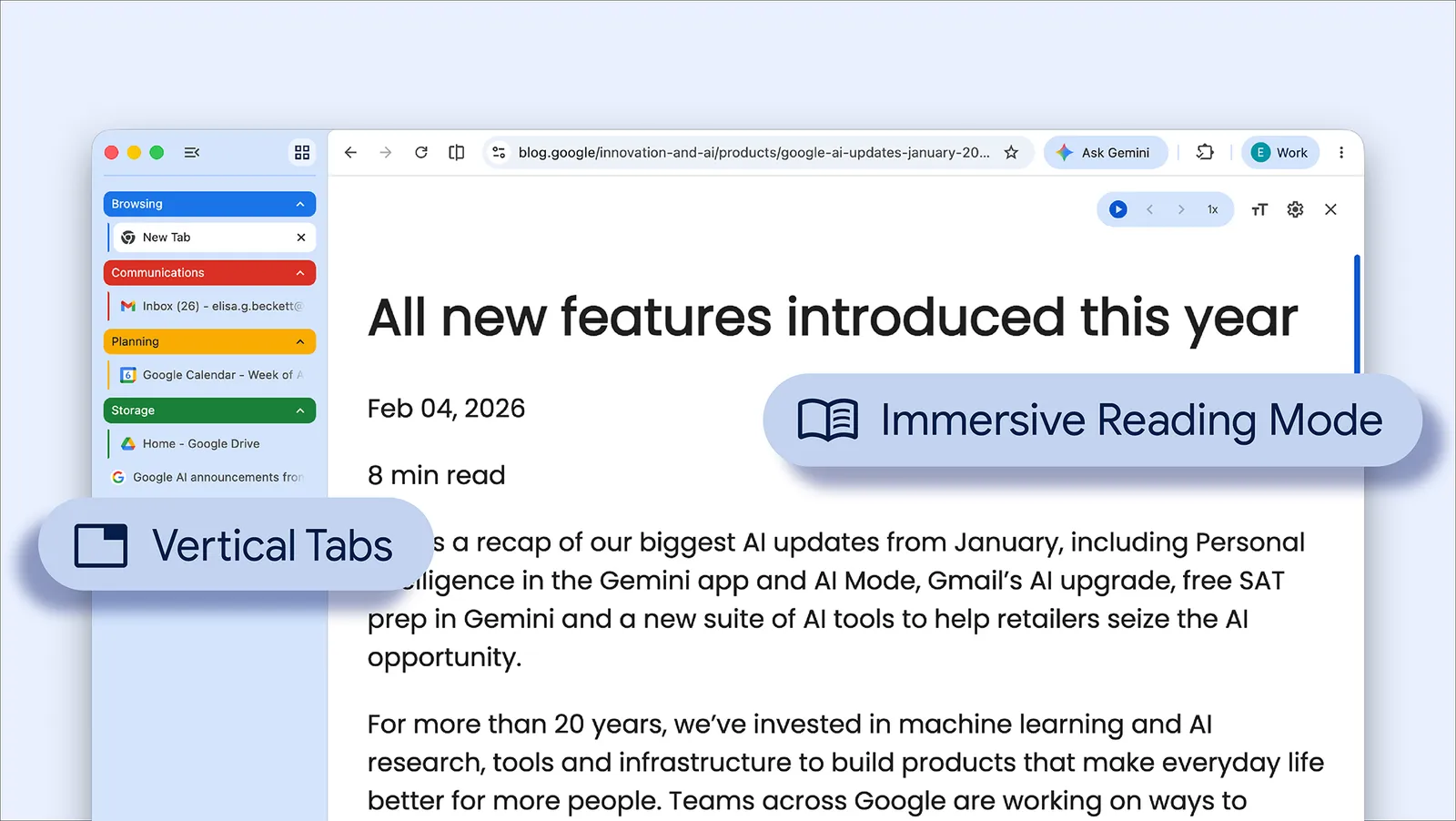
A different place for your tabs
Chrome’s April update introduced vertical tabs and a full-page reading interface. Google describes the sidebar layout as a way to read page titles and manage groups when many tabs are open. To enable it, right-click a Chrome window and choose “Show Tabs Vertically.”
The official image shows the two features together: grouped tabs down the left, with the article occupying the main reading area. These are browser layout tools, not a new AI launch.
Use the layout to make a choice
Our suggested test: put the pages for one task into a group and look for the next thing you actually need to read. If titles help you recognize it immediately, the sidebar is doing useful work. If the page feels cramped, the horizontal arrangement may suit that window better.
The goal is not to keep more tabs open indefinitely. It is to make your working set legible enough that you can finish something and close the group.
Then give the article the screen
Right-click a page and select “Open in reading mode” for the text-focused view. Google’s update expands it to a full-page interface.
Try switching once you have chosen an article rather than continuing to scan every tab beside it. Treat the two controls as separate decisions: one helps you find a page, the other helps you read it. Return to the original page when its layout or interactive elements matter.
Source published 2026-04-07. Coverage is based on the maker’s announcement and demonstration.