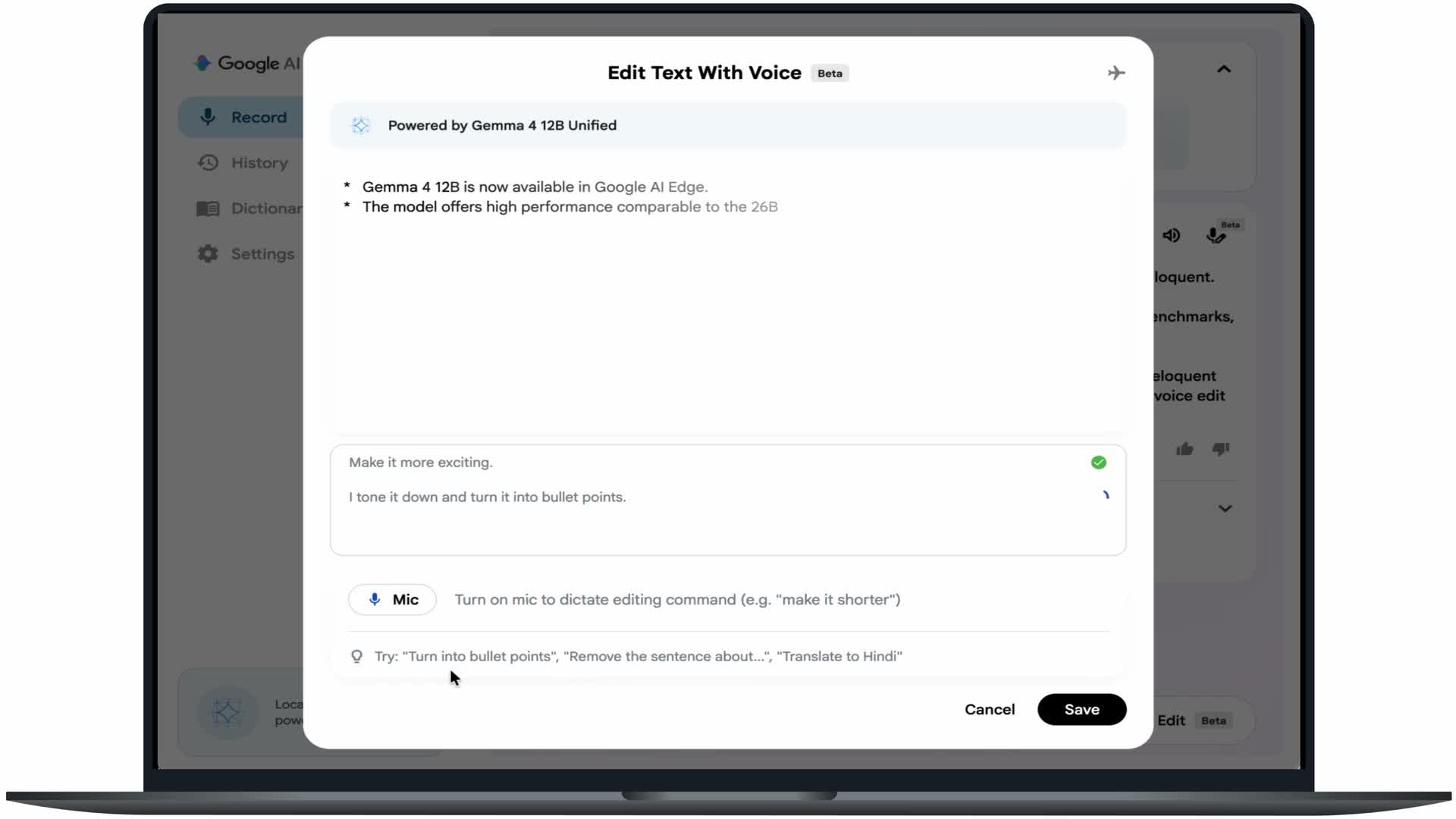
One paragraph, several useful versions
The useful part of Google’s Eloquent demonstration is the sequence: select text, ask for a change, then work with the result. The company’s recorded example reshapes prose into bullet points, drafts an email and translates the text. Voice Edit uses Gemma 4 12B on the Mac itself.
This is a closer look at Google’s June 3 announcement, rather than a launch today. Google describes the macOS app as handling dictation, editing and file transcription on-device.
Pick the tool for the job
For writing, start with AI Edge Eloquent and its Voice Edit controls. For data work, AI Edge Gallery on macOS can generate and run Python to turn supplied files into charts. Developers can use LiteRT-LM’s local server to connect compatible tools to Gemma instead.
Those are three entry points with different purposes. The linked Google guide includes downloads and a model card with performance and memory requirements; check those against your machine before choosing a setup.
A small first experiment
Try a paragraph you wrote and request one change: fewer words, bullets or a different tone. Compare the result with the original before saving. That makes it easier to judge whether the tool preserved your meaning.
Source published 2026-06-03. Coverage is based on the maker’s announcement and demonstration.