The useful part comes after generation
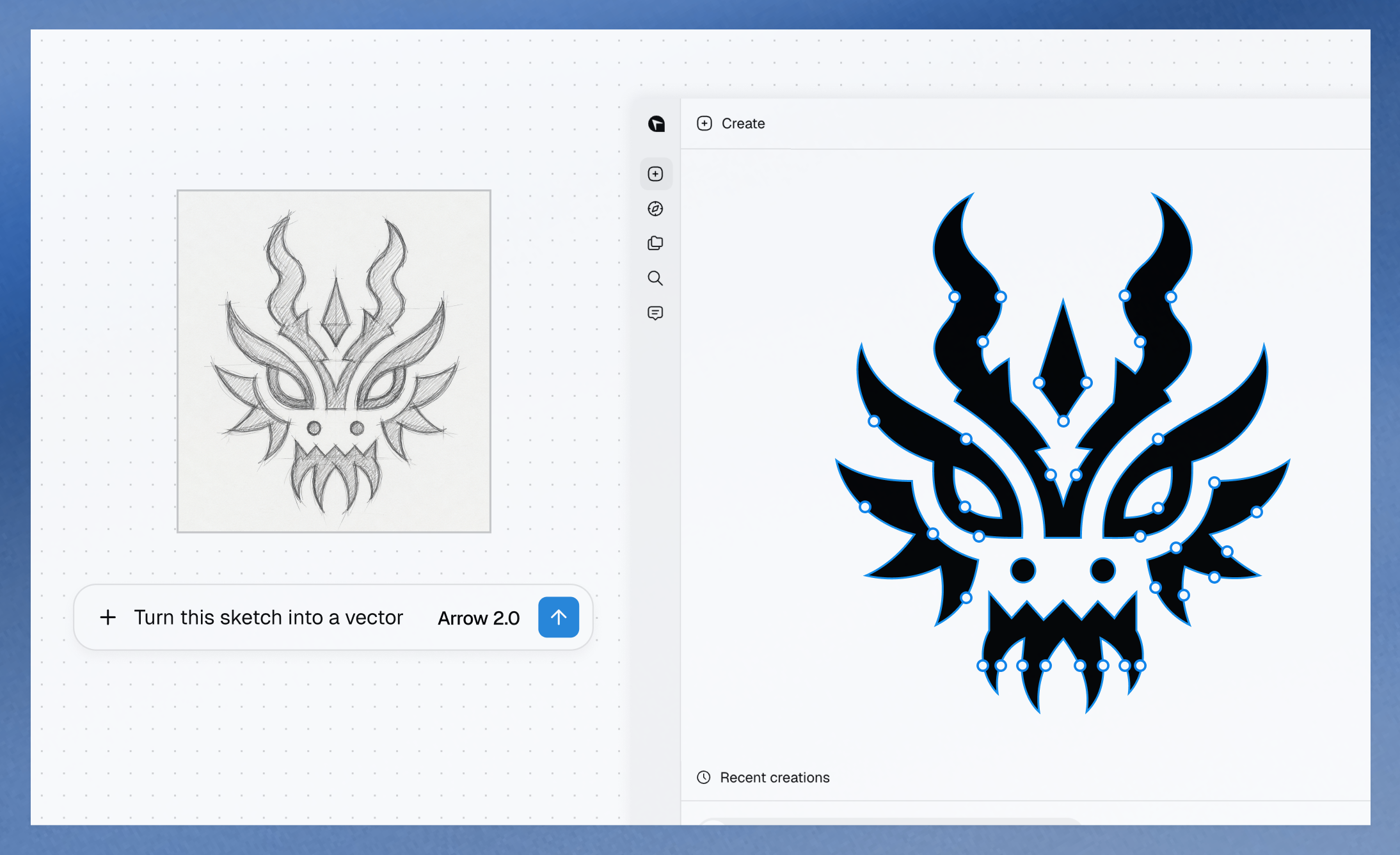
A finished image is easy to admire and sometimes awkward to change. Quiver’s official example takes a pencil mask drawing and produces vector artwork with visible editable points. The interesting promise is the ability to keep working on individual shapes.
The September 16 changelog says creations in the app are editable SVGs. Users can refine them through conversation or adjust elements on a canvas; saved canvas changes feed back into the creation.
Give it a change request, not just a prompt
A practical evaluation is to choose one element after generation and change its color, placement or proportions. Then check whether neighboring shapes remained intact. That tests usefulness for actual design revisions.
Try the result at a small icon size and a much larger layout size. Vector geometry can scale, but readability still depends on the design. Fine details that look impressive on a large canvas may disappear in a small interface.
Motion is another example, not the whole story
Quiver also presents short SVG animation examples and lists canvas animation in the app update. The source examples show an owl, a steaming cup and line-based graphics moving.
For a logo or interface asset, the more valuable question may be ownership of the next edit: can you refine the delivered structure without starting over? The examples are company demonstrations; we have not independently benchmarked the tool.
Source published 2026-09-16. Coverage is based on the maker’s announcement and demonstration.