What we actually tried
Microsoft’s open-source MarkItDown converts documents into Markdown for text-analysis and language-model workflows. Its documentation lists formats including Word, PowerPoint, PDF, and spreadsheets. We tested one small Word document rather than assuming every format behaves identically.
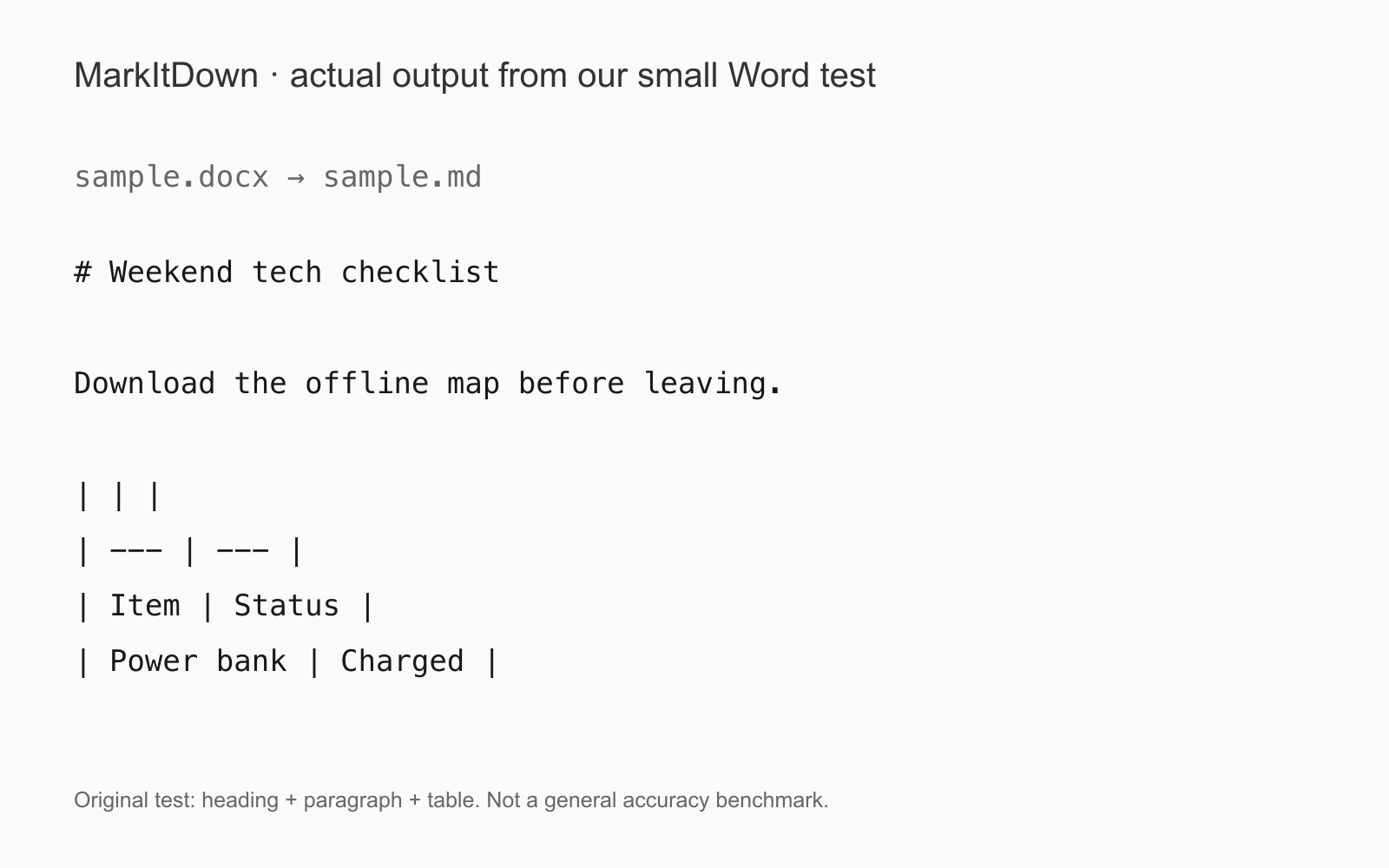
Our sample contained a heading, a short sentence, and a two-column table. Converting the local file produced readable Markdown with the heading and the table’s cell text preserved. The image shows the actual output from that test.
The detail in the table
There was a small but useful wrinkle: the output included an empty table-header row, with our Item and Status labels appearing below it. The information survived, but the structure was not identical to what a reader might expect.
That is why conversion should be a checkpoint, not the end of the workflow. Before asking an AI to summarize a document, inspect a representative table, a heading, and any important numbers in the converted text. A neat-looking answer cannot fix information that was extracted incorrectly.
Where this fits
The documented command-line pattern is markitdown followed by a local file path, with an output option for the Markdown file. Format-specific dependencies are optional; install only what the workflow needs. Our test used the Word support.
This is an existing utility, not a newly announced model. Its purpose is structured text extraction rather than a visually identical document copy. Our small successful conversion does not establish accuracy on scans, complex layouts, or other people’s files, but it gives a concrete starting point for a repeatable check.
Source published 2026-09-17. Coverage is based on the maker’s announcement and demonstration.