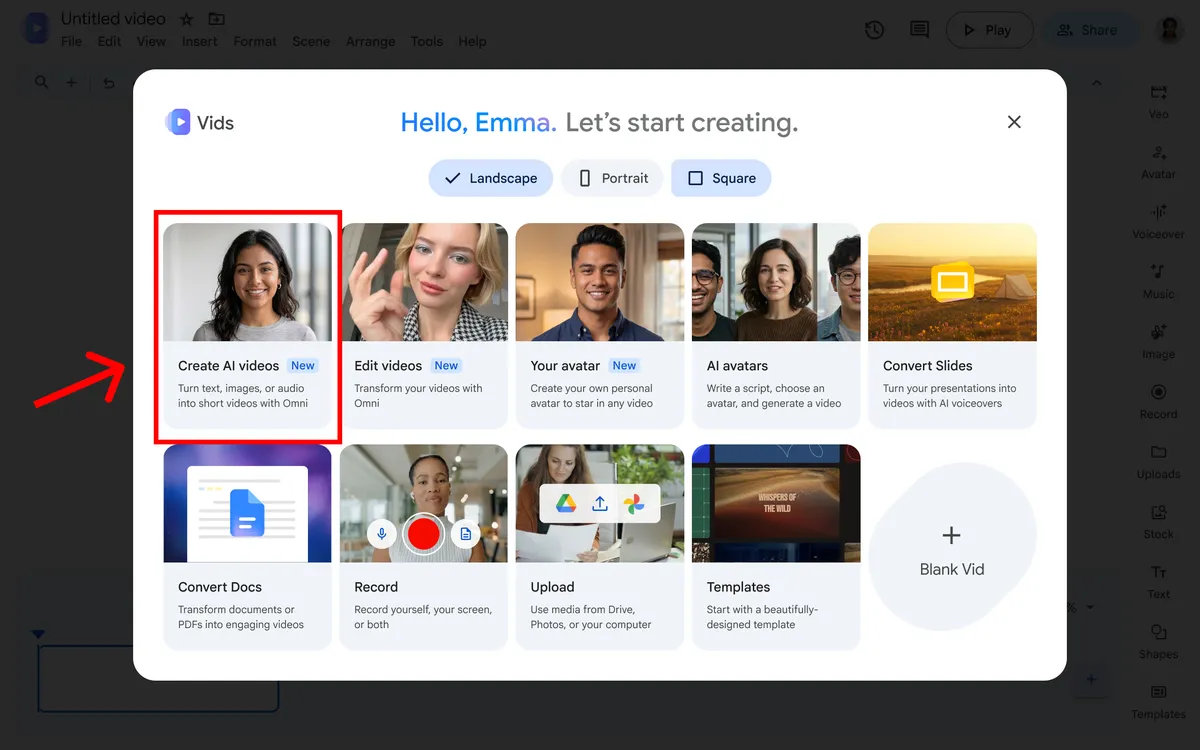
AI clips move into a mainstream editor
Google’s latest update to Vids expands its AI video tools beyond Workspace business accounts. The company says anyone with a Google account can create AI clips at no cost, then bring them into the Vids editing experience.
The update focuses on controls that matter after generation: upscaling output to 1080p, setting clip durations and extending a scene while maintaining visual continuity. That moves the tool closer to producing material someone can assemble into a longer presentation or video.
The edit controls are the practical change
A generated clip that cannot be adjusted to fit an edit is often only a novelty. Duration controls let a creator target a short insert, while scene extension can continue a visual sequence rather than forcing an abrupt cut after a few seconds.
Google says generated clips include SynthID, its watermarking technology for identifying AI-generated media. The watermark is a transparency measure, not a guarantee that a clip’s context or provenance will always remain visible after every export or repost.
What is not here yet
Text-to-speech is still listed as forthcoming in the announcement. That means the new Vids update should not be described as already producing complete narrated videos from start to finish. Its current focus is on generated visual clips and editing them inside Vids.
The free access claim applies to the announced experience and may still depend on account availability, region and product limits. The key immediate change is that people can try the clip-generation workflow without first buying a Workspace plan.
A test for AI video products
Google Vids gives users a path from prompt to short visual asset and then into a structured editor. That combination may be more useful to everyday creators than a model that produces a clip but leaves every next step to a separate application.
The quality question is whether the scene extension and duration controls deliver consistent footage that fits an actual project. Google has made the tools broadly accessible; creators still need to judge continuity, image quality and whether the generated shot belongs in the final edit.
Source published 2026-09-23. Coverage is based on the maker’s announcement and demonstration.