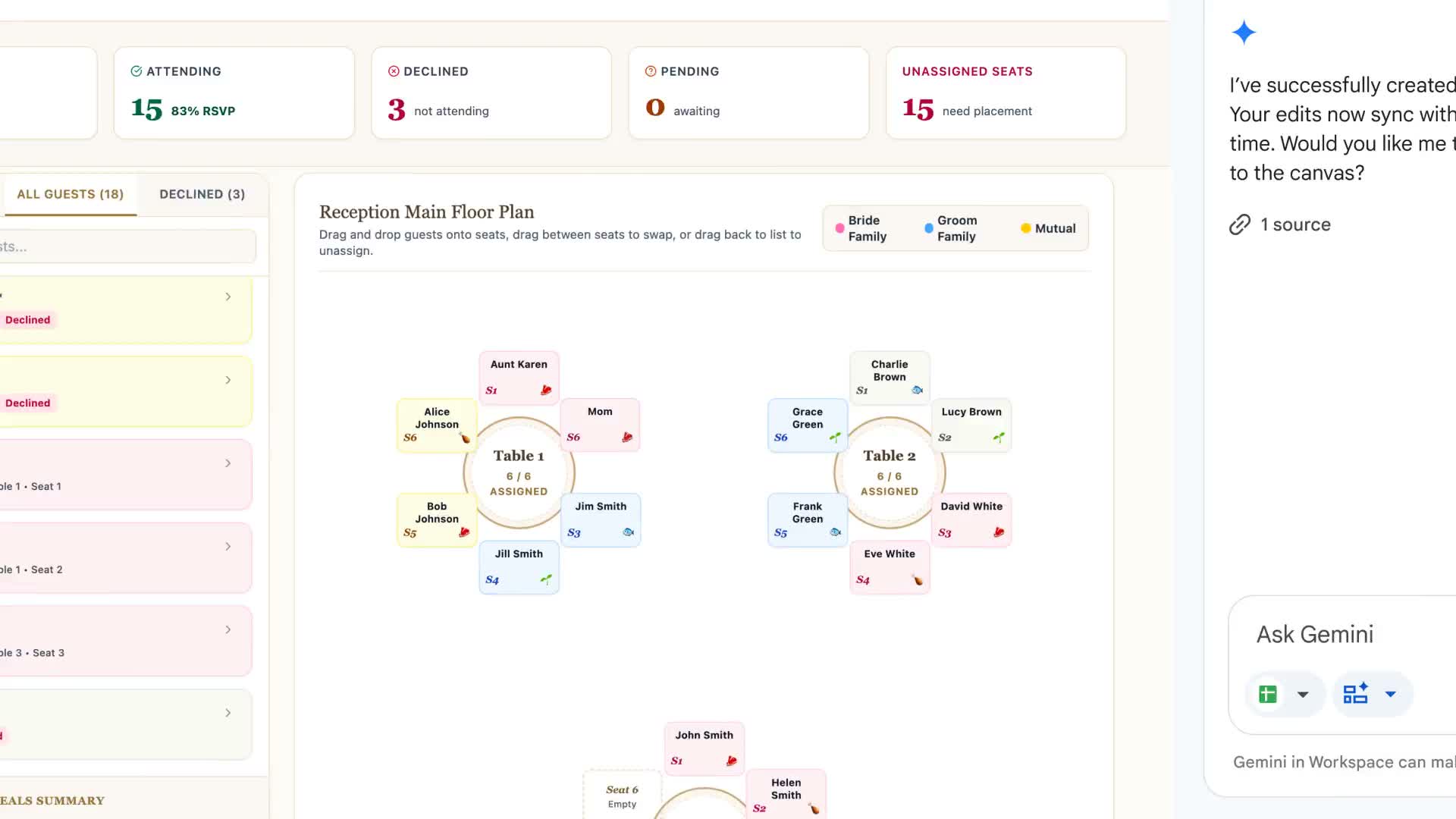
The sheet becomes the interface
Google’s Sheets canvas turns spreadsheet data into interactive mini-apps through a prompt. Its wedding example converts guest information into a seating chart, with drag-and-drop placement. Changes in the canvas and source sheet stay synchronized.
This is more than asking for a chart. The canvas is an editable layer within the spreadsheet, and it can be shared like another sheet tab. Google also demonstrates study trackers and fantasy-football dashboards.
A useful first experiment
Open a spreadsheet, open Ask Gemini and choose Create canvas. Describe the view you need, then refine the layout with follow-up prompts. Google announced global English availability for AI Pro and Ultra subscribers, plus rollout to eligible Workspace and education plans. This feature was announced in August.
An editorial starting prompt: “Show my guest list as tables, display each meal choice, and make unassigned guests easy to find.” Before relying on the result, move one sample guest and check the underlying row. That small check tells you whether the attractive interface is updating the field you intended.
Source published 2026-08-13. Coverage is based on the maker’s announcement and demonstration.