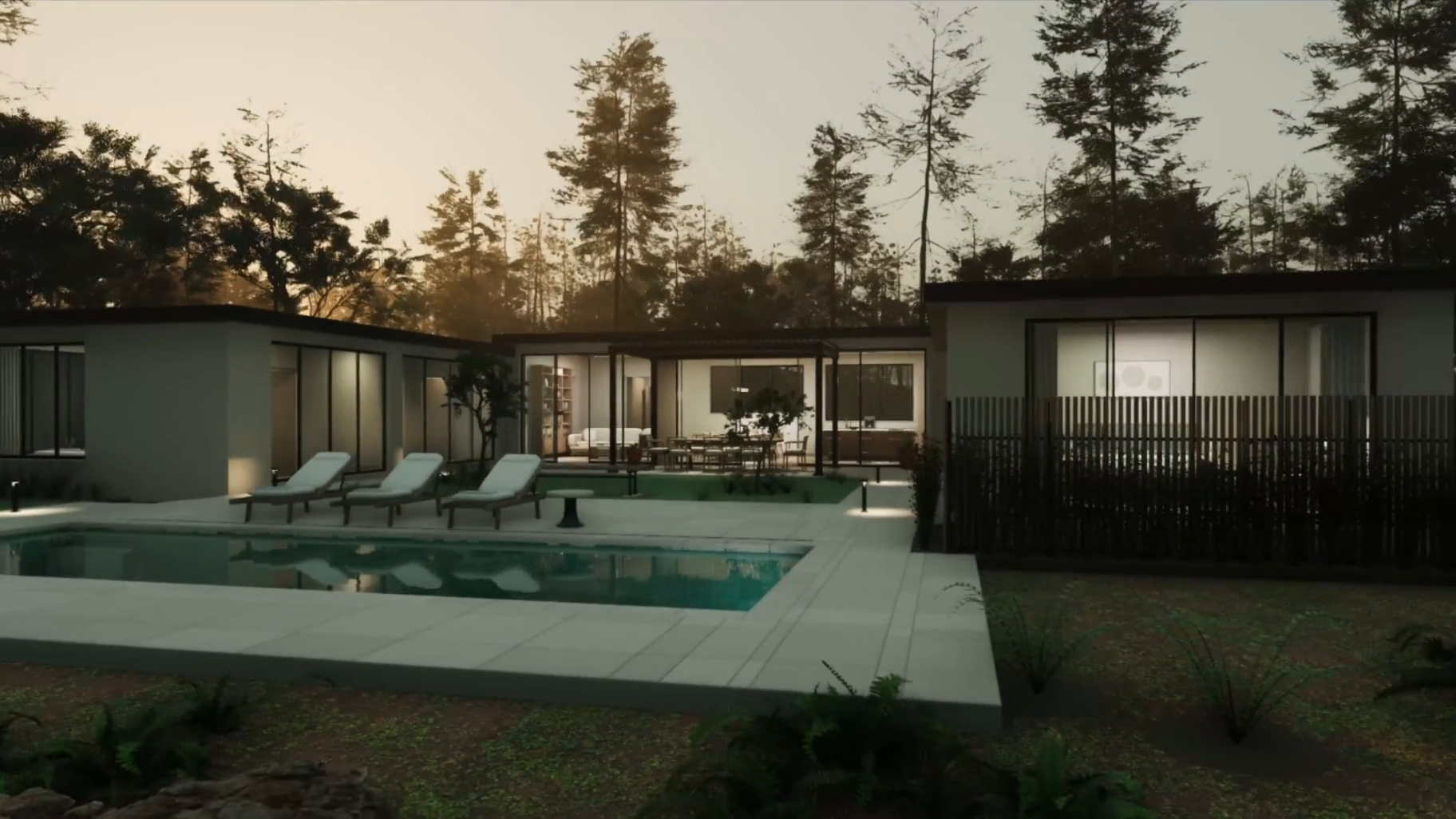
Astra turns a design brief into a walk-through space
OpenAI’s Astra architectural-visualization example starts with a design request and ends with a house that can be explored as a 3D scene. The clip is useful because the output is an artifact with geometry and camera movement, not a paragraph describing a house. It makes the promise of an AI agent legible to someone who has never used a coding assistant: the work continues through multiple steps until there is something to inspect.
This is a curated demonstration, not evidence that Astra can reliably deliver a build-ready architectural model. The source shows a visualization workflow; it does not establish structural accuracy, code compliance or a production handoff. OpenAI’s original clip: https://developers.openai.com/blog/architectural-visualization-with-astra
Digit makes the handoff the story
Agility Robotics’ Digit is built for material movement in warehouses and factories. In its product demonstrations, the important sequence is the whole cycle: approach the item, take control of it, move it and leave the work area ready for the next handoff. A humanoid silhouette gets attention; the useful question is whether the robot fits into a workflow people already run.
A short product video cannot prove reliability across a warehouse shift. It can show the form factor and intended job, while the deployment details and task-specific evidence need to be checked separately. Agility’s product overview: https://www.agilityrobotics.com/solutions/digit-5
Generated video has to survive motion, not just a still frame
ByteDance Seedance 2.0’s skating example is a good reminder to watch the contact points: hands in the lift, feet near the ice and the skates through the landing. A still can look convincing while the movement between frames breaks. The scene is an official generated-video demo, so it shows the system’s intended capability rather than an independently measured error rate.
The practical takeaway for anyone judging generative video is simple: follow the interaction through time. That is where continuity, weight and contact become visible. ByteDance’s source: https://seed.bytedance.com/en/blog/seedance-2-0-official-launch
MiniMax separates the camera move from the subject
MiniMax H3 demonstrates reference-directed video generation: one input can steer camera movement while another guides the character or scene. That separation matters to creators because it offers a more controllable shot than asking a model to invent every visual choice at once. The example is most useful when you watch what changes as the camera moves and what remains stable in the subject.
It remains an official product demonstration, not proof of consistent control across arbitrary scenes. The broader pattern across these four clips is that the interface is becoming more concrete: specify an artifact, movement, physical task or camera behavior, then inspect the output. MiniMax’s source: https://www.minimax.io/blog/minimax-h3
Four different kinds of progress
These demonstrations should not be collapsed into one claim that AI can ‘do everything.’ They expose four different tests: can an agent leave a useful project behind, can a robot perform a real-world handoff, can a video model keep motion coherent, and can a creator steer a shot with separate references? Each clip makes one capability easier to see, while leaving important questions about repeatability, quality and access unanswered.
That is why native demonstrations are worth watching alongside launch headlines. Look for a visible result, the actual task, who made the clip and what the demonstration does not establish. The original makers’ videos are linked in each section above.
Source published 2026. Coverage is based on the maker’s announcement and demonstration.