A document starts with a conversation
Google’s September 3 Workspace update introduced Docs Live: a voice conversation that helps organize ideas into a document. With permission, it can also draw on Gmail, Drive, Chat and the web. Docs access requires Google AI Pro or Ultra; Google said business access would follow.
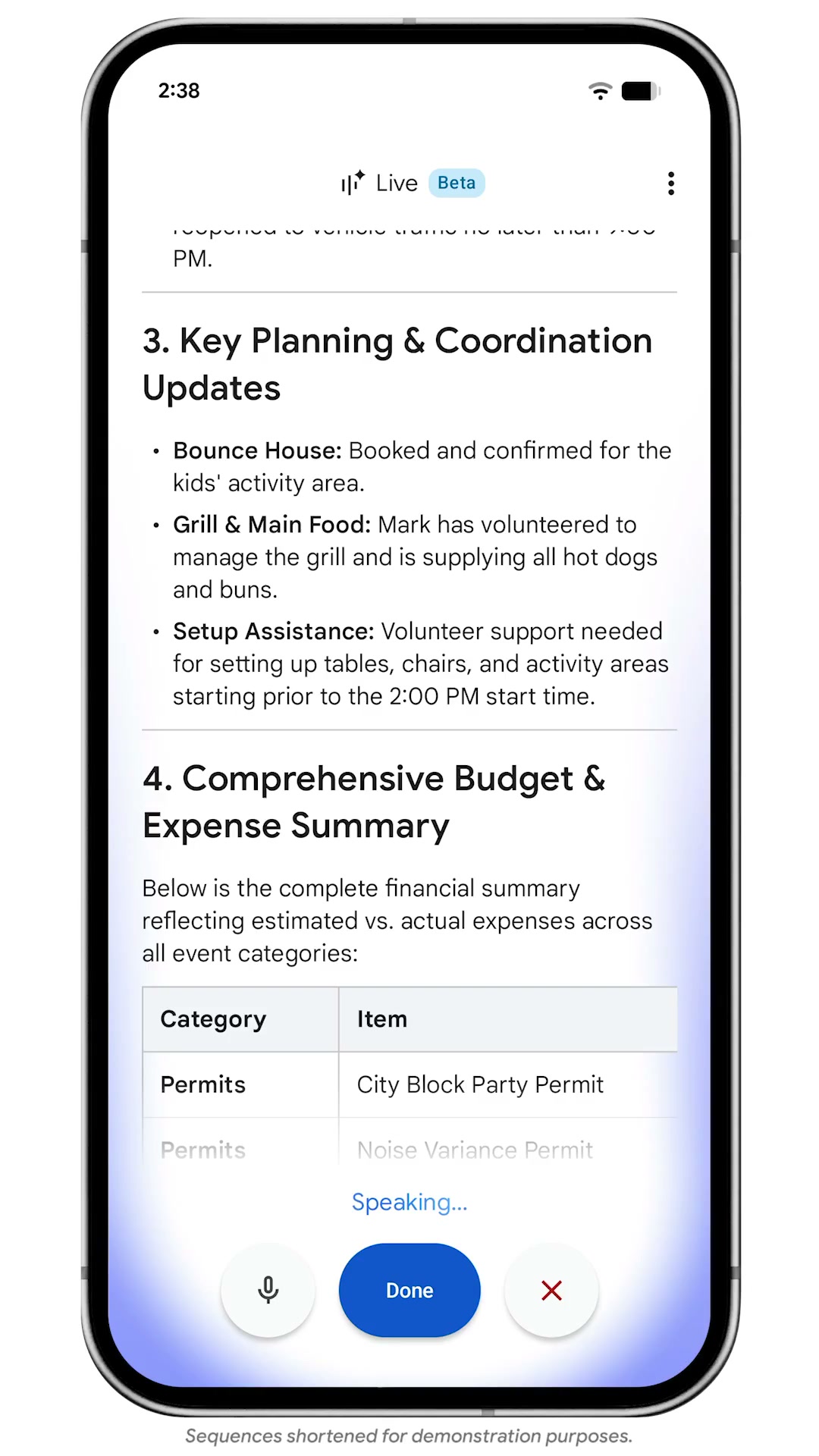
The company’s demonstration shows an event plan with responsibilities and a budget table. The screenshot is the demo’s output, not a document we created in an independent test.
Give the ramble a destination
Our suggested starting point: name the reader, the decision and the format before speaking through the details. For an event plan, try: “This is for the volunteers. Make a one-page handoff with owners, deadlines and unresolved questions.” Then describe what is already decided and what still needs an answer.
That structure gives you a practical review target. Can someone identify their next action without calling you? If not, ask for clearer assignments instead of another polished introduction.
Finish with the details that matter
Before sharing, compare names, dates and amounts against the original information. Keep open questions visibly open. A tidy table can make a tentative detail look settled, so review the commitments as carefully as the prose. The useful outcome is a handoff another person can act on.
Source published 2026-09-03. Coverage is based on the maker’s announcement and demonstration.